Social Media Platform
Twitter clone built with microservice based architecture
Twitter Clone Backend & Frontend
Status: This project is now complete. All planned features have been implemented.
This is a microservices-based Twitter clone built with Spring Boot, Java, React, HashiCorp Consul for service discovery, and NeonDB (PostgreSQL) as the database.
It supports real-time interactions using WebSockets (for notifications) and includes advanced features like image cropping, open-feign clients, MySQL triggers (initially), and a fully functional timeline system.
Tech Stack
- Backend: Spring Boot (Java), OpenFeign, WebSockets, MySQL triggers (for some logic)
- Frontend: React, Vite, TanStack Query, React Easy Crop
- Service Discovery: HashiCorp Consul
- Database: NeonDB (PostgreSQL)
Project Structure
authentication-service/
connection-service/
config-service/
config-repo/
gateway-service/
media-service/
notification-service/
posting-service/
timeline-service/
frontend/
Service Ports (from start.txt)
config-service      8888
gateway-service     9999
authentication      8081
media-service       8082
posting-service     8083
connection-service  8084
notification-service 8085
timeline-service    8086
consul              8500 (default)
🛠 Setup & Running Instructions
1️Start Consul Server
consul agent -server -bootstrap-expect=1 -data-dir=consul-data -ui -bind=0.0.0.0
Access UI at: http://localhost:8500
2️Start Backend Services
Order to start:
- Config Service
- Gateway Service
- Authentication / Posting / Media / Connection / Timeline / Notification services
3️Start Frontend
cd frontend
npm install
npm run dev
Now the app will be available locally.
Database Setup
- NeonDB (PostgreSQL) is used instead of local MySQL.
- Update credentials in environment variables before running.
Algorithms & Flows
🔹 Timeline Generation
- Connection service returns a list of followers & followees (given a user id).
- Deduplicate into a set.
- Another endpoint fetches post IDs for this set.
- Send post IDs to frontend → frontend maps & displays posts.
- Show first 10 posts → then “Show more” appends 10 more.
- If <10 posts → display global feed.
🔹 Suggested People to Follow
- Get list of users the logged-in user already follows.
- Fetch all users (excluding self).
- Compute:
All users – Followed users = Not Followed. - Display max 4 at a time in frontend (React Query).
- Once a user is followed, remove from list & replace with next.
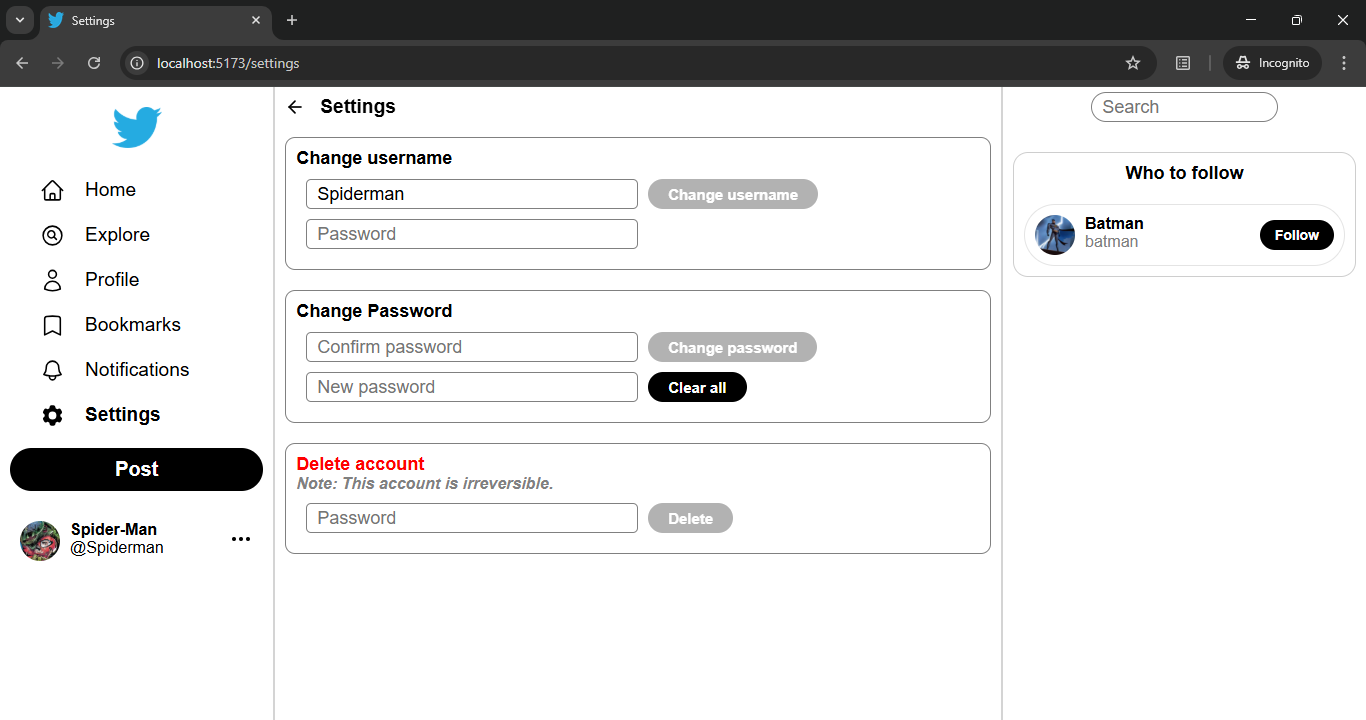
🔹 Settings Page Includes
- Change username
- Change password
- Delete account
🔹 Change Username
- Check backend if new username is already taken.
- Show ✅ (green tick) if available, ❌ (red cross) if not.
- Backend endpoint validates & updates.
Added Features & Fixes
- Posting
- Replying to a post
- Liking, bookmarking
- Viewing posts in profile & bookmarks
- Editing profile
- Post modal (pop-up)
- Custom photo viewer with close option
- Logout
- Follow / unfollow system
- Delete posts
- View parent post
- Delete notifications (optional)
- All kinds of notifications
- Quote retweets (post card & viewer)
- Added tabs
- Fixed profile header with back button
- Make posts clickable properly
- User-friendly messages (no bookmarks, no notifications etc.)
- Imports fixed (path aliasing + project restructure)
- Remove profile photo / background photo option
- Quote retweets count & UI fixes
- Fixed z-index layering order
- Profile photo cropping (React Easy Crop)
- Corrected date formatting
- Timeline implemented
- Fixed edit modal (emoji, giphy close on outside click)
- Fixed sidebar user profile container
- Added view profile button in sidebar
- Fixed likes tab
- Added settings page
- Added search functionality
- Likes are private
- Delete account feature
- Username validation (no special symbols like
!?/.,><+=etc.; only letters, digits, emojis, underscore allowed) - Password validation rules
- User joined date displayed
- Proper formatting for post text
- Quote retweets count displayed
Screenshots
Home Page

Responsive Profile Page

Settings
Likes
-
Likes are anonymous

-
Likes Tab

Notifications
-
Follow Notifications

-
Mention Notifications

-
Following Toast Message

Quote Retweet

License
This project is licensed under All Rights Reserved.
See LICENSE for details.
Author
Shashank Verma
Creator of this Twitter Clone Project.